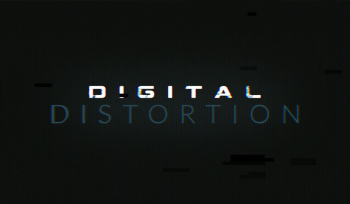
Free After Effect Template: Digital Distortion

We pulled out all the stops in our newest free After Effects template: A fully featured distortion effects kit that’s simple to use and packed with customizable settings. Turn up the noise on your next video project!
If you’re looking to add grit, grain and grunge to your videos, Digital Distortion has you covered. We packed this free After Effects template with 9 different distortion effects, all tweakable with an easy-to-use slider. Combine the different parameters to create a look that’s totally your own. Use these effects with video footage or add to your motion graphics.
Where other sites sell distortion and grunge packs for hundreds of dollars, we’re giving the Digital Distortion After Effects template for free! Simply subscribe to the RocketStock newsletter below and we’ll instantly send you an email to download. PLUS, we’ll send you one high quality AE freebie every month via email. We won’t fill your inbox with spam – only motion design goodness.
What’s Included in this Free After Effects Template?
All distortion settings are customizable through a simple Effects Panel in the template. Simply place your footage into the “Drop Footage Here” composition. Then, tweak the sliders to achieve your desired effect. Jump over to the “Final Output” composition to preview and export. It’s as simple as that. Note: All effects can be keyframed for even greater customization.
After Effects: Noise
Whether you want simple grain or an extreme noisy look (like below), you can dial in the perfect amount of noise. This effect is perfect for recreating the look of old film or analog broadcast video.

After Effects: Color Boxes
One of our favorite tools in this free After Effects template is the color box glitch. This grungy effect easily recreates the look of a bad broadcast transmission or damaged video file.

After Effects: Flicker
Sometimes a simple flicker is all you need to make your video appear more analog. This simple effect can be used to simulate a bad TV or projector.

After Effects: Tuning
Switching channels on a vintage TV? That’s just what this look will achieve. It’s the perfect effect for a simulated television broadcast. It’s also useful for creating funky video transitions.

After Effects: Turbulence
Add some waves to your video with turbulence. We’ve simplified the turbulence noise effect in After Effects. Combine it with a matte to add turbulence to just part of the video frame.

After Effects: Pixel Blending
Want your video to have a more 21st century style distortion? Then turn up the Pixel Blending effect. This effect analyzes the frames before and after to find pixelated color commonalities. It’s subtle, but if you want to give your video a codec-inspired look, this is a great option.

After Effects: Rolling Bars
Similar to the above tuning effect, rolling bars adds noise for a more VCR-style effect. You’ve instantly got a bad signal with loads of horizontal interference, just like the bad TVs of the past!

After Effects: Chromatic Aberration
Color fringing is typically an undesirable effect caused by bad lighting conditions or improper lens focusing. Quickly create a chromatic aberration glitch for a lo-fi or artsy look.

After Effects: Color TV Pixels
Simulating the look of RGB color pixels, this pixel effect is ideal for simulating a tv screen. This effect will immediately give your video a distinct TV look.

Discover more at video after effects page


Li Shimin, Prince of Qin: Tang Dynasty Military Portrait
Rural Scene of Shock and Concern (1780)
Whimsical Question Mark Character
Playful Chinese Silver-Eye Bird Mascot Character

Creative Female Product Designer at Work
Free Video Templates After Effects
By motionarray.com
After Effects Intro Templates
By motionarray.comFree After Effects Text Templates
By motionarray.comFree Logo Reveal After Effects
By motionarray.com10 Free After Effects Type Animation Presets
By motionarray.com10 Free After Effects Text Presets
By motionarray.com

Free Fire Effect: How to Create Realistic Fire in After Effects
By www.rocketstock.comFree Adobe After Effects Templates
By motionarray.comFree Lower Thirds After Effects
By motionarray.com
After Effects Cs6 Logo Vector Download - Logo Adobe Premiere Pro Png
By www.clipartmax.com20 Transitions Free
By motionarray.com
Free After Effects Intro
By motionarray.comFree Modern Fast Promo
By motionarray.comExplainer Video
By motionarray.com
10 More Free After Effects Text Presets
By motionarray.com
Light Scape Adobe After Effects , light transparent background PNG clipart
By www.hiclipart.comFree Flipped Titles
By motionarray.comFree Lower Thirds Templates After Effects
By motionarray.comFree After Effects Typography Templates
By motionarray.comFree After Effects Slideshow Templates
By motionarray.com
Glitch Logo
By motionarray.comFree After Effects Titles
By motionarray.comAfter Effects Templates
By motionarray.comFree Animated Instagram Stories
By motionarray.comFree After Effects Intro Templates
By motionarray.com
Professional Red LUT's for Photos and Videos
By vip.webmaster-deals.com
Adobe After Effects Smoke , VFX transparent background PNG clipart
By www.hiclipart.comFree AE Titles
By motionarray.com
Free After Effects Title Templates
By motionarray.comFree After Effects Logo Templates
By motionarray.com