What’s the difference between RGB, CMYK and Spot (PMS) colors?

The simple answer is RGB is for anything digital or on a screen, and CMYK and PMS (spot) are for print.

RGB colors are additive and are created from light. When combined, red and green light rays produce yellow, blue and green produce cyan, red and blue produce magenta. Add red, green and blue to the mix to create white or light. Subtracting all the colors produces black. Monitors, LCD displays and other digital media all display color in the RGB color model.
CMYK colors are a subtractive color model, used for print output. The four colors are cyan (C), magenta (M), yellow (Y) and back (K). The K refers to key because in four-color printing, the cyan, magenta, and yellow printing plates are aligned, with the key plate, which is black. CMYK colors are applied to paper through a four-color process and the color is absorbed by the paper. The absence of color produces white, whereas when all four colors are printed on top of each other, they produce a muddy black. Regular black is produced when K is applied at 100%. Images sent to the printer are broken into thousands of CMYK dots that overlap and blend together to create a full color image. Photographic images are typically printed in CMYK.

CMYK image with magnified CMYK dots
Spot colors or PMS (Pantone Matching System) refer to a color or ink that has been specifically mixed and calibrated to a color matching system such as Pantone. It is a similar process to picking out paint swatches – a color is picked from a catalogue of PMS /Spot colors.

Spot colors are typically used in offset printing and screen-printing, usually in large runs. If color accuracy is essential for a particular asset such as a company logo, spot colors are recommended. If two or three spot colors are used for a print project, it is labeled as a 3 color job. However, a specific plate has to be made for each spot color so the costs for such a printing job can drastically increase.
So how do we choose which color mode to use? Well it depends on the job. The easy answer for anything digital (web, or on screen) and not for print is RGB. Because RGB is light based (the same way the human eye perceives color) it will always produce brighter, more vivid colors than CMYK because there is a much broader range of colors.
For print jobs the CMYK color mode or spot colors are the way to go. Nearly all print houses will request a job in CMYK unless the job has been requested in spot colors. Though photographic images are conventionally printed in CMYK, to add further confusion, there are some printers and print houses that prefer having the job sent to the printer in an RGB mode because these printers have the ability to print in a wider range of colors. The printer will manage the color output and can produce more vivid colors than a CMYK job. This is becoming more common in the print world, however the best practice is to simply talk to the print house and have them advise on what works best for their printers.
Discover more at color different page
Orange Color Splash Png
By www.clipartmax.com

Colour Splash Stickers - Color Splash Png Orange
By www.clipartmax.com
Blue Clipart Color Splash - Blue Colour Splash Png
By www.clipartmax.com

Abstract Color Transparent Background - Background Full Color
By findandfound.ga
tropical flowers garden with gradient color
By www.vectorstock.com
Border With Different Design - Flower Corner Border Design
By www.clipartmax.com

Colors Splash, multi color, color liquid, splash, rainbow, color explosion – PngNest
By www.pngnest.com
Cmyk Color Model Euclidean Vector - Creative Pencil
By www.clipartmax.com
a hand drawing collection different expressions
By www.vectorstock.com
Color Pencils Png
By www.clipartmax.com

Halloween background, neon color
Explosion Color Powder Dust - Color splash effect
By kisspng.com
Colors Splash, multi color, color liquid, splash, rainbow, color explosion – PngNest
By www.pngnest.com
Royal Banner Different Shapes Vector - Banner Shapes Design Png
By www.clipartmax.com
Color gradient Web colors CSS3, light burst transparent background PNG clipart
By www.hiclipart.com
SVG Map location pin in red color
By freesvg.org
Color wheel Color scheme, light color transparent background PNG clipart
By www.hiclipart.com
an abstract painting of pink and white colors
By unsplash.com
geometric color pattern gradiente

Color Splash Art Clip art - colour splash
By kisspng.com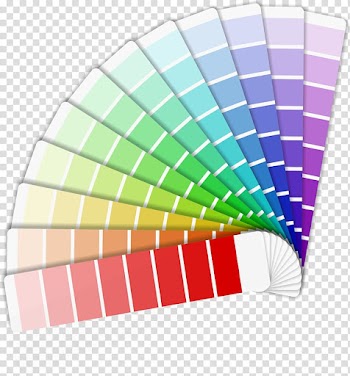
Powder Clipart - - Watercolor Color Splash Png
By www.clipartmax.com
Clipart Indian Colour - Wedding Clipart Png
By www.clipartmax.com

Thank You In Different Languages Png Download - Thank You Different Languages
By www.clipartmax.com
Flower Watercolor painting Drawing Clip art - Color flower
By kisspng.com
sweater hat scarf in yellow color
By www.vectorstock.com

Paint Color Photography Illustration - Color Paint
By kisspng.com
SVG Folder icon grey color
By freesvg.org

Shopping Bag Dark and Color Logo 1


Letras, Números E Símbolos - Letras Para Imprimir A Color
By www.clipartmax.com
Color Dust explosion - explosion
By kisspng.com

Color Guard - Color Guard
By www.clipartmax.com
Paper Color Painting Canvas Drawing - lion
By kisspng.com
Smartphone in different perspectives Free Vector
By www.freepik.comNew picks

Vibrant Pop Art Portrait with Abstract Features

Athletic Black Female Model with Soccer Ball

Sound in the Black Sky: A Chaotic Cloudscape
Elegant Italian Living Room with Magenta Artwork